VPN на iOS через Happ — настройка DazeLink без лишней боли

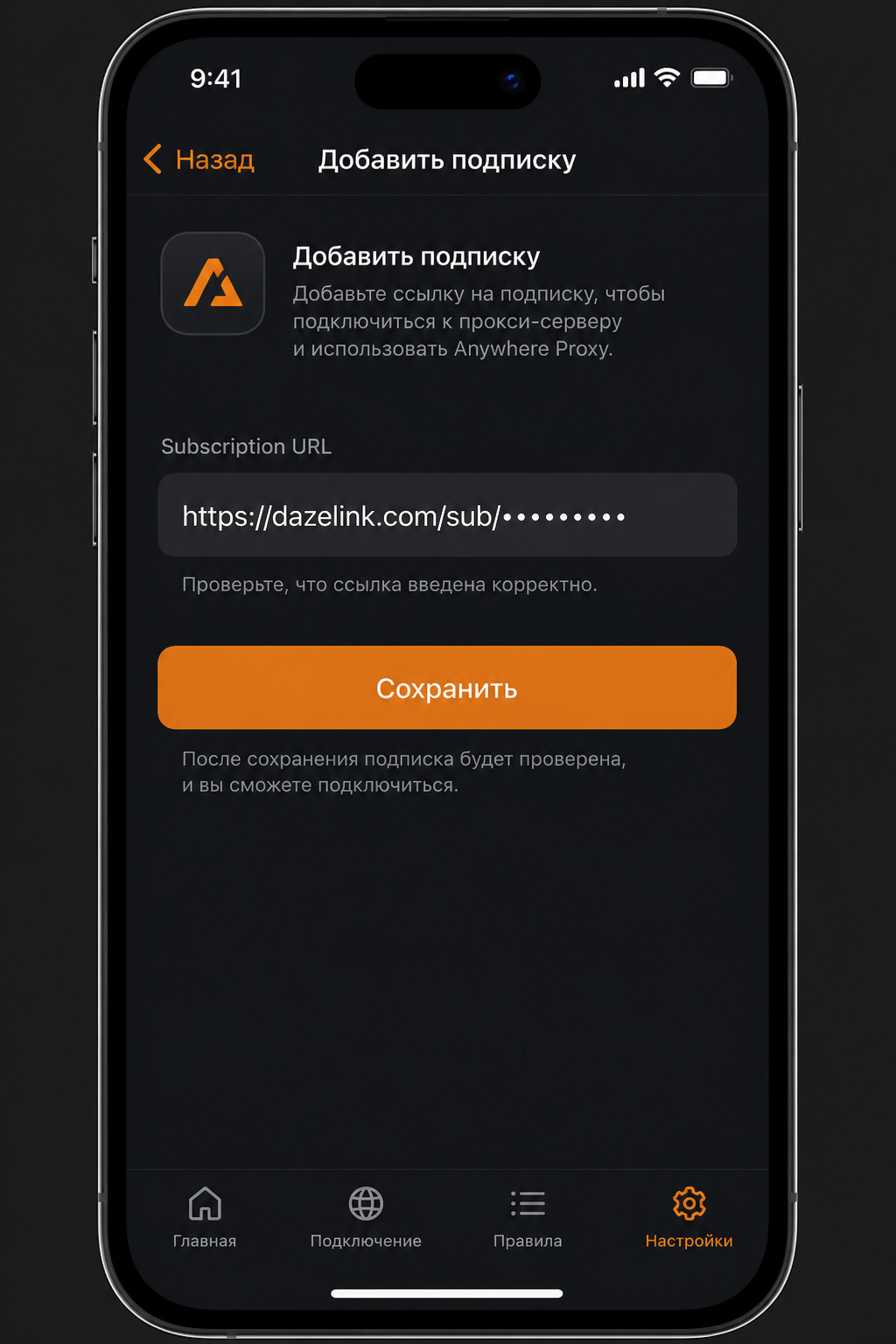
Запросы «vpn ios», «vpn ios скачать», «happ proxy utility», «vpn на айфон» сходятся к одному сценарию: клиент из App Store + рабочая подписка.
Актуально: для новых установок DazeLink рекомендует Anywhere Proxy. Полный гайд: VPN на iOS через Anywhere Proxy.
Ниже — материал про Happ: если приложение уже установлено, subscription URL DazeLink по-прежнему подходит. Источник доступа — dazelink.com.
Общий контекст про подписку: Happ VPN и подписка.
Почему на iOS путь другой, чем на Android
На Android DazeLink ставится как своё приложение (гайд). На iOS удобная поддерживаемая схема — Happ Proxy Utility и URL подписки. Так проще:
- обновлять узлы без ручного импорта каждого URI;
- переживать смену телефона (перенос);
- не таскать «моды» и IPA с форумов.
Happ — клиент. Источник доступа — DazeLink.
Установка Happ (безопасно)
- Откройте App Store по официальной ссылке Happ Proxy Utility (RU/US витрина — тот же продукт).
- Установите на iPhone или iPad.
- Не ставьте IPA «с телеги» и не ищите «happ plus взлом»: после обновления iOS такие сборки часто перестают добавлять VPN-профиль.
Проверьте иконку и издателя в App Store. Параллельные приложения с похожим названием из веб-выдачи могут быть другим продуктом.
Получение subscription URL на DazeLink
- Зайдите на главную.
- Выпустите доступ на email, при необходимости оплатите тариф.
- Скопируйте subscription URL для iOS/Happ.
- В Happ: добавить подписку по URL.
- Обновите список профилей (pull / Update).
- Подключите профиль и подтвердите системный запрос iOS на VPN-конфигурацию.
Сохраните URL в надёжных заметках. Не публикуйте: по ссылке можно пользоваться вашим доступом до отзыва или истечения тарифа.
Как понять, что всё настроено правильно
Чеклист «зелёный»:
- после update в Happ видны профили, список не пустой;
- в «Настройки → VPN» (или статус в шторке) видно активное соединение, когда вы подключены;
- открываются привычные сайты и мессенджеры без бесконечной загрузки;
- после смены Wi‑Fi → LTE соединение либо само восстанавливается, либо поднимается повторным тапом.
Если профили есть, а трафика нет: ещё раз update → другой профиль → см. стабильность.
Типовые проблемы на iOS (и что делать)
«Не удалось добавить VPN-конфигурацию». Часто виноваты Экранное время, MDM, корпоративный профиль или чужой «семейный» контроль. Проверьте ограничения VPN в настройках. На полностью управляемом рабочем iPhone VPN могут запретить административно.
Работает только на Wi‑Fi. Обновите подписку, смените профиль. На мобильных сетях иногда нужен другой транспорт (Reality vs UDP и т.п.). База по именам: VLESS Reality и Hysteria2.
После продления тарифа «как будто старый ключ». Без update Happ продолжает кэш. Это самая частая «поломка», которая чинится за 10 секунд.
Пустой список после добавления URL. Обрезали строку при копировании, лишний пробел, или тариф неактивен. Удалите подписку → вставьте URL снова → проверьте статус на сайте.
Конфликт с другим VPN. Оставьте один активный туннель. Расширения браузера на iOS почти не актуальны, но «второе VPN-приложение» — да.
Путаница с Windows. На ПК используйте клиент DazeLink, а не «поставьте Happ и забудьте».
Практические привычки на каждый день
- После оплаты всегда делайте refresh подписки.
- Перед поездкой/важной встречей проверьте LTE заранее, не в лифте.
- Не держите десятки чужих подписок «на всякий случай» — хаос в диагностике.
- Для семьи заранее уточняйте лимиты устройств в поддержке, а не кидайте один URL в общий чат.
Сценарий «настроил родственнику»
- Поставьте Happ из App Store на его iPhone.
- Выпустите доступ на dazelink.com (ваш или его email — как договоритесь о продлении).
- Добавьте URL сами один раз, покажите кнопку обновления.
- Запишите в заметки (не в публичный чат): куда заходить при истечении тарифа — pricing.
- На старом телефоне отключите VPN, если устройство больше не используется.
Так вы избежите ежемесячного «скинь ещё раз ключ».
Когда полезно понимать протоколы
Обычному пользователю iOS достаточно Happ. Имеет смысл читать про Reality/Hysteria2, если в списке несколько профилей и вы выбираете запасной под LTE. Короткий ликбез: протоколы. Ручной ввод public key Reality в штатном сценарии DazeLink не нужен.
Частые вопросы
Есть ли «vpn ios бесплатно навсегда» от DazeLink?
Доступ строится вокруг аккаунта и тарифов. Условия — на pricing.
Нужен ли компьютер для настройки iPhone?
Нет.
Можно ли импортировать один URI вместо подписки?
Иногда да, но рекомендуемый путь — subscription URL: меньше ручной работы при обновлениях.
Куда писать, если подписка пустая?
Поддержка или контакты на сайте. Email аккаунта, без публикации URL. Канал новостей: t.me/DazeLink_com.
Чем этот гайд отличается от статьи про подписку?
Здесь акцент на установке и жизни на iOS. Про смысл Happ/подписки и высокий спрос «happ vpn» — в хабе подписки.
Связанные материалы
Экран «не удалось добавить VPN» — разбор глубже
На iOS это почти всегда ограничения профиля, а не «сломанный Happ». Проверьте: Экранное время → ограничения контента и конфиденциальности → VPN и изменение конфигурации. На чужом корпоративном iPhone MDM может запретить VPN целиком — тогда нужен личный устройство или согласование с IT.
Если ограничения сняты, а ошибка остаётся: удалите все VPN-профили в Настройки → VPN → переустановите Happ → добавьте URL заново → update. Не копируйте URL через мессенджеры с автопереносами строк — лучше Notes и ручное копирование.
После крупных обновлений iOS
Иногда после обновления системы пропадает доверие к VPN-профилю. Симптом: Happ показывает подключено, трафик нет. Порядок: update подписки → переподключение → удаление подписки → добавление URL → перезагрузка iPhone. Это быстрее, чем искать «новый ключ» в чатах.
Пробный период, «какой VPN сейчас работает» и конфиг на iPhone
- Пробный доступ — 7 дней с email на dazelink.com. Это тот же subscription URL, что и у платного тарифа; после пробного периода URL не «ломается магией», просто заканчивается срок — продлите на pricing.
- «Какой VPN сейчас работает на айфоне» — важнее свежий профиль и один активный VPN в Настройках iOS, чем название из чата. Если «вчера работало» — сделайте update подписки и смените профиль до переустановки Happ.
- Конфигурация — не собирайте ручной URI из форумов. Добавляйте subscription URL из личного доступа DazeLink; ручные правки SNI/ключа почти всегда ломают рабочий профиль.
Альтернатива Happ на iOS — Anywhere Proxy, если так удобнее; доступ тот же.
Похожие запросы (сателлиты)
Запросы «vpn на айфон», «скачать vpn ios», «конфигурация vpn для айфона» собраны в этом хабе.
Итог
Для «vpn ios» и «happ proxy utility» последовательность одна: Happ из App Store → доступ и URL на DazeLink → добавление подписки → обновление → подключение. Главный навык дальше — вовремя обновлять подписку и иметь запасной профиль под «плохую» сеть, а не переустанавливать iOS при первой же ошибке.
VPN on iOS via Happ — setting up DazeLink without the hassle
Searches like "vpn ios", "vpn ios download", "happ proxy utility", "vpn on iphone" all lead to the same scenario: a client from the App Store + a working subscription.
Currently: for new installs, DazeLink recommends Anywhere Proxy. Full guide: VPN on iOS via Anywhere Proxy.
The material below is about Happ: if the app is already installed, the DazeLink subscription URL still works fine. The access source is dazelink.com.
General context on subscriptions: Happ VPN and subscription.
Why the iOS path differs from Android
On Android, DazeLink installs as its own app (guide). On iOS, the convenient, supported route is Happ Proxy Utility with a subscription URL. This makes it easier to:
- update nodes without manually importing every URI;
- survive a phone switch (transfer);
- avoid dragging "mods" and IPAs from forums.
Happ is the client. DazeLink is the access source.
Installing Happ (safely)
- Open the App Store via the official Happ Proxy Utility link (RU/US storefront — same product).
- Install it on your iPhone or iPad.
- Don't install IPAs "from Telegram" and don't search for "happ plus cracked": after iOS updates, such builds often stop being able to add a VPN profile.
Check the icon and publisher in the App Store. Similarly named apps from web search results may be a different product.
Getting a subscription URL on DazeLink
- Go to the homepage.
- Get access via email, pay for a plan if needed.
- Copy the subscription URL for iOS/Happ.
- In Happ: add the subscription by URL.
- Refresh the profile list (pull / Update).
- Connect a profile and confirm iOS's system prompt for the VPN configuration.
Save the URL in trusted notes. Don't publish it: anyone with the link can use your access until it's revoked or the plan expires.
How to tell everything is configured correctly
The "green" checklist:
- after an update, profiles are visible in Happ and the list isn't empty;
- "Settings → VPN" (or the status bar) shows an active connection while you're connected;
- your usual sites and messengers open without endless loading;
- after switching Wi‑Fi → LTE, the connection either restores itself or comes back up with a tap.
If profiles exist but there's no traffic: update again → try another profile → see stability.
Common issues on iOS (and what to do)
"Could not add VPN configuration." Often caused by Screen Time, MDM, a corporate profile, or someone else's "family" controls. Check VPN restrictions in settings. On a fully managed work iPhone, VPN may be administratively blocked.
Works only on Wi‑Fi. Refresh the subscription, switch profiles. On mobile networks, a different transport (Reality vs. UDP, etc.) is sometimes needed. Basics on names: VLESS Reality and Hysteria2.
"Looks like the old key" after renewing a plan. Without an update, Happ keeps its cache. This is the most common "issue," and it's fixed in 10 seconds.
Empty list after adding the URL. The string got trimmed while copying, there's an extra space, or the plan isn't active. Remove the subscription → paste the URL again → check status on the site.
Conflict with another VPN. Keep one active tunnel. Browser extensions are barely relevant on iOS, but a "second VPN app" is.
Confusion with Windows. On PC, use the DazeLink client, not "install Happ and forget about it."
Practical everyday habits
- Always refresh the subscription after paying.
- Check LTE ahead of time before a trip or important meeting — not in the elevator.
- Don't keep dozens of other people's subscriptions "just in case" — it creates diagnostic chaos.
- For family, clarify device limits with support in advance instead of dropping one URL into a group chat.
The "set it up for a relative" scenario
- Install Happ from the App Store on their iPhone.
- Get access on dazelink.com (your email or theirs — whatever you agree on for renewal).
- Add the URL yourself once, show them the update button.
- Note down (not in a public chat) where to go when the plan expires — pricing.
- Disable VPN on the old phone if the device is no longer in use.
This way you avoid a monthly "send me the key again."
When it's useful to understand protocols
For a regular iOS user, Happ is enough. It's worth reading about Reality/Hysteria2 if you have several profiles listed and are choosing a backup for LTE. Short primer: protocols. Manually entering a Reality public key isn't needed in the standard DazeLink scenario.
Frequently asked questions
Is there a "vpn ios free forever" from DazeLink?
Access is built around an account and plans. Terms are on pricing.
Do I need a computer to set up an iPhone?
No.
Can I import a single URI instead of a subscription?
Sometimes yes, but the recommended way is a subscription URL: less manual work when updates happen.
Where do I write if the subscription is empty?
Support or the site's contacts. Provide the account email, without publishing the URL itself. News channel: t.me/DazeLink_com.
How is this guide different from the subscription article?
This one focuses on setup and daily use on iOS. The meaning of Happ/subscription and the high demand for "happ vpn" is in the subscription hub.
Related materials
The "could not add VPN" screen — a deeper look
On iOS, this is almost always a profile restriction, not "Happ being broken." Check: Screen Time → Content & Privacy Restrictions → VPN & Configuration Changes. On someone else's corporate iPhone, MDM may block VPN entirely — you'll need a personal device or IT coordination.
If restrictions are lifted and the error persists: remove all VPN profiles in Settings → VPN → reinstall Happ → add the URL again → update. Don't copy the URL via messengers that auto-insert line breaks — Notes and manual copying work better.
After major iOS updates
Sometimes trust in the VPN profile is lost after a system update. Symptom: Happ shows "connected," but there's no traffic. Order of operations: update the subscription → reconnect → remove the subscription → re-add the URL → restart the iPhone. This is faster than hunting for a "new key" in chats.
Trial period, “which VPN works on iPhone,” and config
- Trial — 7 days via email on dazelink.com. Same subscription URL as a paid plan; when the trial ends, renew on pricing.
- “Which VPN works on iPhone now” — a fresh profile and a single active VPN in iOS Settings matter more than a chat brand name. If it worked yesterday, update the subscription and switch profile before reinstalling Happ.
- Config — don’t build a manual URI from forums. Add the subscription URL from your DazeLink access; hand-editing SNI/keys usually breaks a working profile.
Happ alternative on iOS: Anywhere Proxy.
Related searches (satellites)
“VPN on iPhone,” “download vpn ios,” and iPhone config queries land in this hub.
Bottom line
For "vpn ios" and "happ proxy utility," the sequence is the same: Happ from the App Store → access and URL on DazeLink → add the subscription → update → connect. The main skill going forward is updating your subscription on time and keeping a backup profile for a "bad" network — not reinstalling iOS at the first error.
iOS'ta Happ ile VPN — DazeLink'i Sorunsuz Kurma
"vpn ios", "vpn ios download", "happ proxy utility", "vpn on iphone" gibi aramalar aynı duruma işaret eder: App Store'dan bir istemci + çalışan bir abonelik.
Şu an: Yeni kurulumlar için DazeLink, Anywhere Proxy önerir. Tam rehber: Anywhere Proxy ile iOS'ta VPN.
Aşağıdaki içerik Happ hakkındadır: Uygulama zaten yüklüyse DazeLink abonelik URL'si sorunsuz çalışır. Erişim kaynağı dazelink.com'dur.
Abonelikler hakkında genel bilgi: Happ VPN ve abonelik.
Neden iOS yolu Android'den farklı
Android'de DazeLink kendi uygulaması olarak kurulur (rehber). iOS'ta önerilen ve desteklenen yol, Happ Proxy Utility ile abonelik URL'si kullanmaktır. Bu sayede:
- Düğümleri her URI'yi tek tek aktarmadan güncellemek kolaylaşır;
- Telefon değişiminde erişim korunur (aktarım);
- Forumlardan "mod" ve IPA indirmekten kaçınılır.
Happ istemcidir. DazeLink ise erişim kaynağıdır.
Happ'i Güvenle Kurma
- App Store'u resmi Happ Proxy Utility bağlantısıyla açın (RU/US mağazası — aynı ürün).
- iPhone veya iPad'inize yükleyin.
- Telegram'dan IPA indirmeyin ve "happ plus cracked" aramayın: iOS güncellemelerinden sonra bu tür yapılar genellikle VPN profili ekleyemez.
App Store'da simgeyi ve yayıncıyı kontrol edin. Web aramalarından çıkan benzer isimli uygulamalar farklı bir ürün olabilir.
DazeLink'ten Abonelik URL'si Alma
- [Ana sayfaya](/ ) gidin.
- E-posta ile erişim alın, gerekirse plan satın alın.
- iOS/Happ için abonelik URL'sini kopyalayın.
- Happ'te URL ile aboneliği ekleyin.
- Profil listesini yenileyin (çekme / Güncelle).
- Bir profili bağlayın ve iOS'un sistem VPN yapılandırma istemini onaylayın.
URL'yi güvenilir notlara kaydedin. Yayınlamayın: Bağlantıya sahip herkes, erişim iptal edilene veya plan süresi dolana kadar kullanabilir.
Her Şeyin Doğru Yapılandırıldığını Anlama
"Yeşil" kontrol listesi:
- Güncellemeden sonra profiller Happ'te görünür ve liste boş değildir;
- "Ayarlar → VPN" (veya durum çubuğu) bağlıyken aktif bağlantı gösterir;
- Günlük siteler ve mesajlaşma uygulamaları sonsuz yüklenmeden açılır;
- Wi‑Fi → LTE geçişinde bağlantı kendiliğinden düzelir veya tek dokunuşla geri gelir.
Profiller var ancak trafik yoksa: Yeniden güncelleyin → başka bir profil deneyin → kararlılık bölümüne bakın.
iOS'ta Yaygın Sorunlar (ve Çözümleri)
"VPN yapılandırması eklenemedi." Genellikle Ekran Süresi, MDM, kurumsal profil veya başka birinin "aile" kontrollerinden kaynaklanır. Ayarlarda VPN kısıtlamalarını kontrol edin. Tam yönetilen iş iPhone'unda VPN yönetimsel olarak engellenmiş olabilir.
Sadece Wi‑Fi'da çalışıyor. Aboneliği yenileyin, profilleri değiştirin. Mobil ağlarda farklı bir taşıma (Reality vs. UDP vb.) gerekebilir. İsimler hakkında temel bilgi: VLESS Reality ve Hysteria2.
Plan yenilendikten sonra "eski anahtar gibi görünüyor". Güncelleme yapılmazsa Happ önbelleğini korur. Bu en yaygın "sorun"dur ve 10 saniyede çözülür.
URL eklendikten sonra liste boş. Dize kopyalanırken kırpılmış, fazladan boşluk var veya plan aktif değil. Aboneliği kaldırın → URL'yi tekrar yapıştırın → siteden durumu kontrol edin.
Başka bir VPN ile çakışma. Tek aktif tünel tutun. Tarayıcı uzantıları iOS'ta pek geçerli değil, ancak "ikinci VPN uygulaması" sorun yaratır.
Windows ile karışıklık. Bilgisayarda "Happ kurup unutmayın", DazeLink istemcisini kullanın.
Günlük Pratik Alışkanlıklar
- Ödemeden sonra aboneliği her zaman yenileyin.
- Seyahat veya önemli toplantı öncesi LTE'yi önceden test edin — asansörde değil.
- "İhtimal olur" diye onlarca başkasının aboneliğini tutmayın — teşhis karmaşası yaratır.
- Aile için cihaz sınırlarını önceden destekle görüşün, tek URL'yi grup sohbetine atmak yerine.
"Bir yakına kurma" Senaryosu
- Happ'i App Store'dan onların iPhone'una yükleyin.
- dazelink.com üzerinden erişim alın (yenileme için sizin veya onların e-postası — anlaştığınız şekilde).
- URL'yi bir kez kendiniz ekleyin, güncelleme düğmesini gösterin.
- Plan süresi dolduğunda nereye gidileceğini (kamuya açık sohbette değil) not edin — fiyatlandırma.
- Cihaz artık kullanılmıyorsa eski telefonda VPN'i devre dışı bırakın.
Bu şekilde her ay "anahtarı tekrar gönder" talebinden kurtulursunuz.
Protokolleri Anlamanın Faydalı Olduğu Durumlar
Normal bir iOS kullanıcısı için Happ yeterlidir. Reality/Hysteria2 hakkında okumaya değer: Birden fazla profil listeleniyorsa ve LTE için yedek seçiliyorsa. Kısa tanıtım: protokoller. Gerçeklik açık anahtarını elle girmek standart DazeLink senaryosunda gerekmez.
Sık Sorulan Sorular
DazeLink'ten "vpn ios free forever" var mı?
Erişim hesap ve planlar üzerine kuruludur. Koşullar fiyatlandırma sayfasındadır.
iPhone kurulumu için bilgisayara ihtiyaç var mı?
Hayır.
Abonelik yerine tek bir URI aktarılabilir mi?
Bazen evet, ancak önerilen yol abonelik URL'sidir: Güncellemelerde manuel iş azalır.
Abonelik boşsa kime yazılır?
Destek veya sitenin iletişim bilgileri. Hesap e-postasını belirtin, URL'yi yayınlamadan. Haber kanalı: t.me/DazeLink_com.
Bu rehber abonelik makalesinden nasıl farklı?
Bu rehber iOS'ta kurulum ve günlük kullanıma odaklanır. Happ/abonelik anlamı ve "happ vpn" talebi abonelik merkezi'ndedir.
İlgili Materyaller
"VPN eklenemedi" Ekranı — Daha Yakından Bakış
iOS'ta bu neredeyse her zaman profil kısıtlamasıdır, "Happ bozuldu" demek değildir. Kontrol edin: Ekran Süresi → İçerik ve Gizlilik Kısıtlamaları → VPN ve Yapılandırma Değişiklikleri. Başkasının kurumsal iPhone'unda MDM VPN'i tamamen engelleyebilir — kişisel cihaz veya BT koordinasyonu gerekir.
Kısıtlamalar kaldırılıp hata devam ederse: Ayarlar → VPN içindeki tüm VPN profillerini kaldırın → Happ'i yeniden yükleyin → URL'yi tekrar ekleyin → güncelleyin. URL'yi satır sonu otomatik ekleyen mesajlaşma uygulamalarıyla kopyalamayın — Notlar ve elle kopyalama daha iyi çalışır.
Büyük iOS Güncellemelerinden Sonra
Bazen sistem güncellemesinden sonra VPN profiline güven kaybolur. Belirti: Happ "bağlı" gösterir ancak trafik yoktur. İşlem sırası: Aboneliği güncelle → yeniden bağlan → aboneliği kaldır → URL'yi tekrar ekle → iPhone'u yeniden başlat. Bu, sohbetlerde "yeni anahtar" aramaktan daha hızlıdır.
Deneme süresi, "iPhone'da hangi VPN çalışıyor" ve yapılandırma
- Deneme — dazelink.com'da e-posta ile 7 gün. Ücretli planla aynı abonelik URL'si; deneme bitince fiyatlandırma'dan yenileyin.
- "Şu anda iPhone'da hangi VPN çalışıyor" — Sohbet markasından çok taze profil ve iOS Ayarları'nda tek aktif VPN önemlidir. Dün çalışıyorsa Happ'i yeniden yüklemeden önce aboneliği güncelleyin ve profili değiştirin.
- Yapılandırma — Forumlardan elle URI oluşturmayın. DazeLink erişiminizden abonelik URL'sini ekleyin; SNI/anahtarları elle düzenlemek genellikle çalışan profili bozar.
iOS'ta Happ alternatifi: Anywhere Proxy.
İlgili Aramalar (uydu)
"iPhone'da VPN", "download vpn ios" ve iPhone yapılandırma sorguları bu merkeze gelir.
Özet
"vpn ios" ve "happ proxy utility" için sıra aynıdır: App Store'dan Happ → DazeLink'ten erişim ve URL → aboneliği ekle → güncelle → bağlan. İlerideki temel beceri, aboneliği zamanında güncellemek ve "kötü" ağ için yedek profil tutmaktır — ilk hatada iOS'u yeniden yüklemek değil.